Catch Phishing That Passes DMARC From Microsoft's Own Address
Phishing is arriving from Microsoft's real notification addresses and passing SPF, DMARC and Microsoft's own checks. What we found and how to detect it.
Michael Robertson
Insights
Luke Rusten ·
In this blog post we cover a widespread phishing campaign Recon recently observed targeting multiple customers. This post is not meant to be highly technical, instead it walks through how these attacks unfold and but still provides defenders and organizations some tools to defend against these attacks.
This campaign was notable because the phishing emails included context from legitimate email threads. This is only possible if 1) the attacker previously compromised a recipient of the original message or 2) the original email was sent outside the organization. The malicious email is sent from a spoofed address impersonating someone in the organization.
We’ve determined this campaign is likely related to Qbot and is attempting to establish initial network access with the intent to spread internally. From there, the access would then be sold to a ransomware group or added to an existing botnet.
The attack looks something like this:
process.command_line.keyword:*onedrive.live*download*)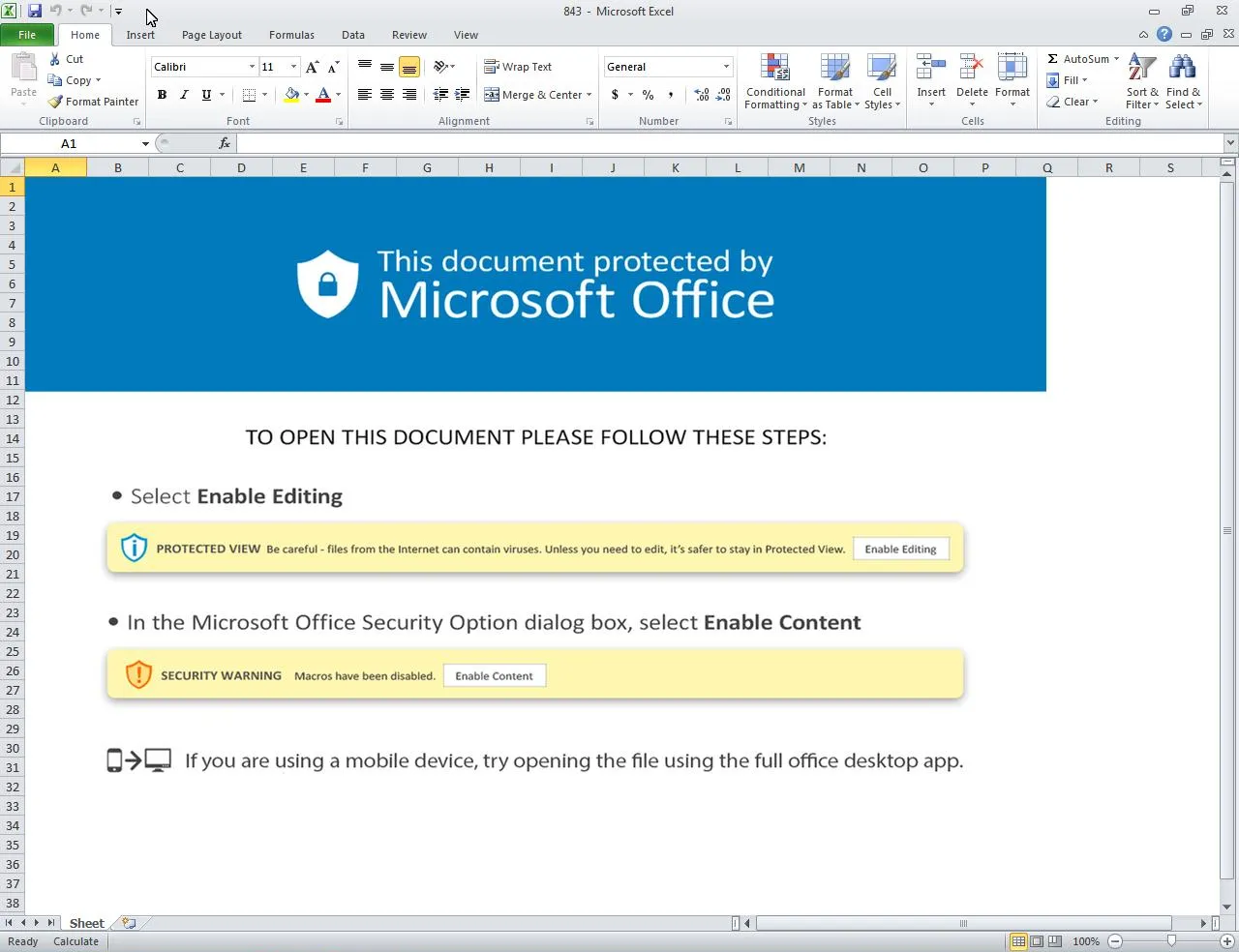
While the spoofed sender address, attachment name, and message content changed each time, certain aspects of the malicious payload stayed consistent. This allows us to build detections for the payload. When the payload is executed, Excel.exe spawns regsvr32.exe to register ocx files:
ProcessCommandLine: "C:\Windows\System32\regsvr32.exe" C:\Ldjaq\xn1.ocx,Image: C:\Windows\System32\regsvr32.exe,ParentCommandLine: "C:\Program Files\Microsoft Office\Office14\EXCEL.EXE" /automation -Embedding,ParentImage: C:\Program Files\Microsoft Office\Office14\EXCEL.EXE, ParentProcessId: 2688, ProcessCommandLine: "C:\Windows\System32\regsvr32.exe" C:\Ldjaq\xn1.ocx,SigmaHQ already has at least one rule that detects suspicious processes spawning from Office products successful execution of the malware (we love Sigma): https://github.com/SigmaHQ/sigma/blob/master/rules/windows/process_creation/proc_creation_win_office_shell.yml
To improve our ability to detect this threat, Recon built a new Sigma rule to detect users attempting to extract the malicious spreadsheet from the zip file:
title: Malicious xlsb extractedid: 34244e11-53aa-4a91-996d-4211de6196cdstatus: stabledescription: Malicious xlsb file extracted potentially from a phishing campaignauthor: Ronald Tranreference: - MITRE ATT&CK Technique T1566.001 - https://attack.mitre.org/techniques/T1566/001/date: 2021/02/23modified: 2021/02/23tags: - attack.spearphishing_attachment - attack.t1566.001 - attack.initial_accesslogsource: category: process_creation product: windowsdetection: selection: CommandLine: '*zip\\*.xlsb*' condition: selectionfields: - CommandLinefalsepositives: - legitimate fileslevel: mediumThis attack specifically leveraged .xlsb files, but defenders could consider expanding this detection to cover other extensions with some hunting and additional tuning. In our experience .xlsb files tend to be used far less frequently and seeing them extracted from a .zip file is even more rare.
Business email compromise remains a serious threat. These compromises lead to data theft, wire transfer fraud, network intrusions, and ransomware incidents. If you have any questions, please reach out to our team at info@reconinfosec.com
Phishing is arriving from Microsoft's real notification addresses and passing SPF, DMARC and Microsoft's own checks. What we found and how to detect it.
Michael Robertson
Phishing campaign exploits Zoom Events infrastructure to deliver credential phishing and malicious downloads, bypassing email security filters. Learn how to protect your organization.
Michael Robertson
Explore current security threats like ClickFix, identity compromise, and AI risks, and learn how to protect your organization from evolving attacks.
Andrew Cook